AI Character Sliding or Walking Backward? Fix It with Paths
Draw a walk path in Director Workbench: facing follows the route automatically, the walk cycle starts on its own, and every keyframe stays editable.
Draw a route in Director Workbench and the character walks it with facing auto-following the path — backward walking and sliding are gone. Arm-swing animation starts on its own, and every keyframe's baked values can be fine-tuned one by one. Draw your first path for free
Two storyboard frames can both look right, yet the moment your character moves, everything falls apart: they glide toward the goal without taking a step, spin like a compass needle near a magnet, and change position while their feet never move. The problem usually isn't the model — it's the blocking. The route from A to B, the facing along the way, and the footsteps were never actually defined.
Draw the route first, then talk about the performance. Once the path is set, facing transitions naturally along the direction of travel and the walk cycle lands on the beat — everything after that is the director's job.
The new character path feature in Director Workbench exists for exactly this: draw a line in the scene and the character walks along it, facing follows the tangent of the route with smooth transitions, the walk animation starts automatically, and every keyframe stays individually adjustable. This article walks through all of it with one coffee delivery route.
One delivery route, every blocking headache
Back to the same café after the rain. During the evening rush, the barista picks up a tray at the counter, curves around two round tables, makes a right-angle turn at the window seat, and sets the drink down in front of the chestnut-haired customer who has been waiting. The route is short, but it collects the three classic blocking problems:
Route segment / Blocking problem / How the path feature solves it
| Route segment | Blocking problem | How the path feature solves it |
|---|---|---|
| Straight line from the counter | Feet slide at the start; the body still faces the counter | Applying a path switches on the walk cycle and aligns the starting facing with the route tangent |
| Arc around the tables | Facing must turn continuously; frame-by-frame tweaking always stutters | Facing interpolates continuously along the tangent — no more hold-then-snap |
| Right-angle turn at the window | Turns swing the long way around, or the character simply walks backward | Corners resolve along the shortest angular difference, then the character keeps walking |
Keep this table in mind — each section below closes out one row.
01 Draw the delivery route
Don't touch the character yet. Switch to the top-down view in Director Workbench and draw along the floor: a short straight run out of the counter, an arc hugging the outside of the two round tables, and a right-angle finish in front of the window seat. You don't need many points — two for the straight, three for the arc, one for the corner. Fewer points, smoother line.
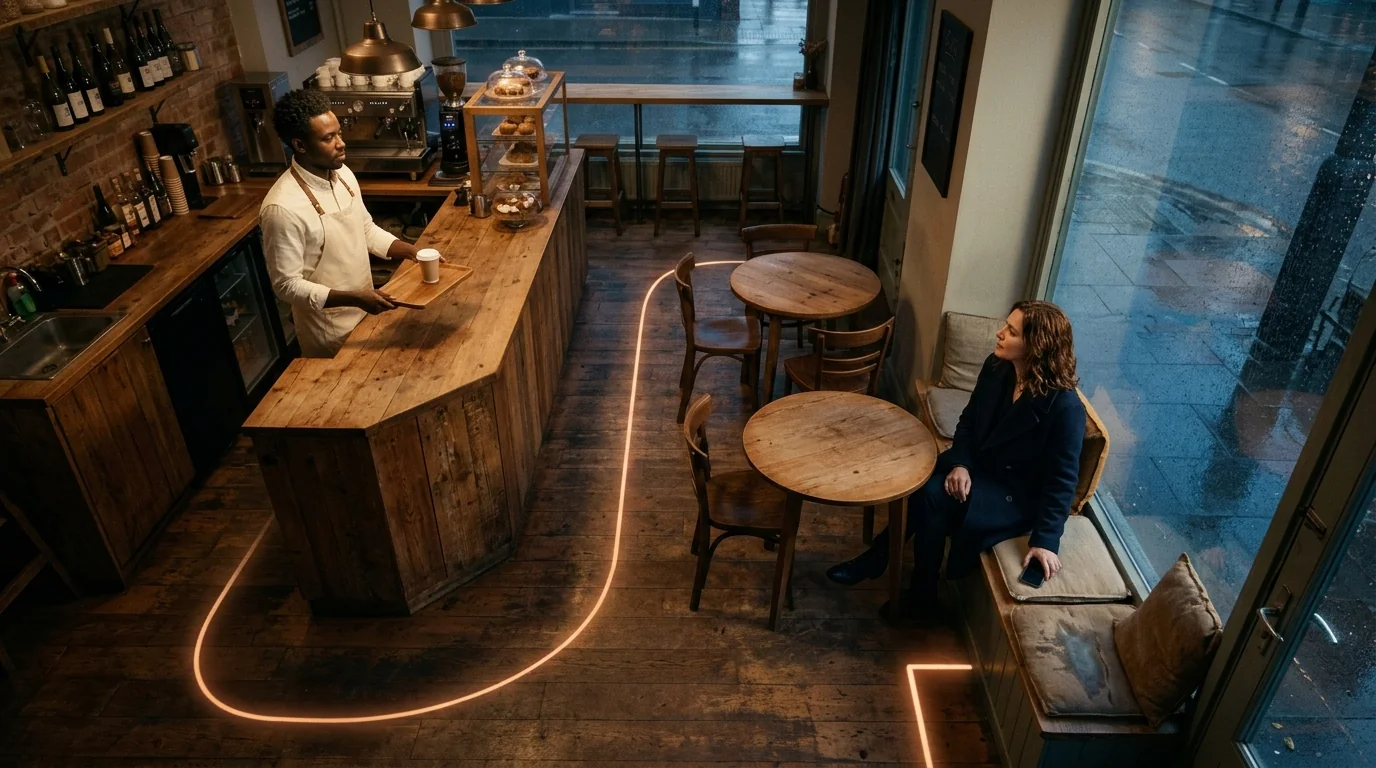
Do an empty run first and look only at the route itself. Does it clip through a table? Is the corner too close to the seat? If the route is wrong, nothing you tune later will fix it.
02 Facing follows the route — no more per-frame fixes
Drop the barista onto the path and press play. Watch the arc segment: his facing rotates continuously along the tangent of the route — the body leans into the curve around the tables and straightens out of it, without a single manually keyed rotation.
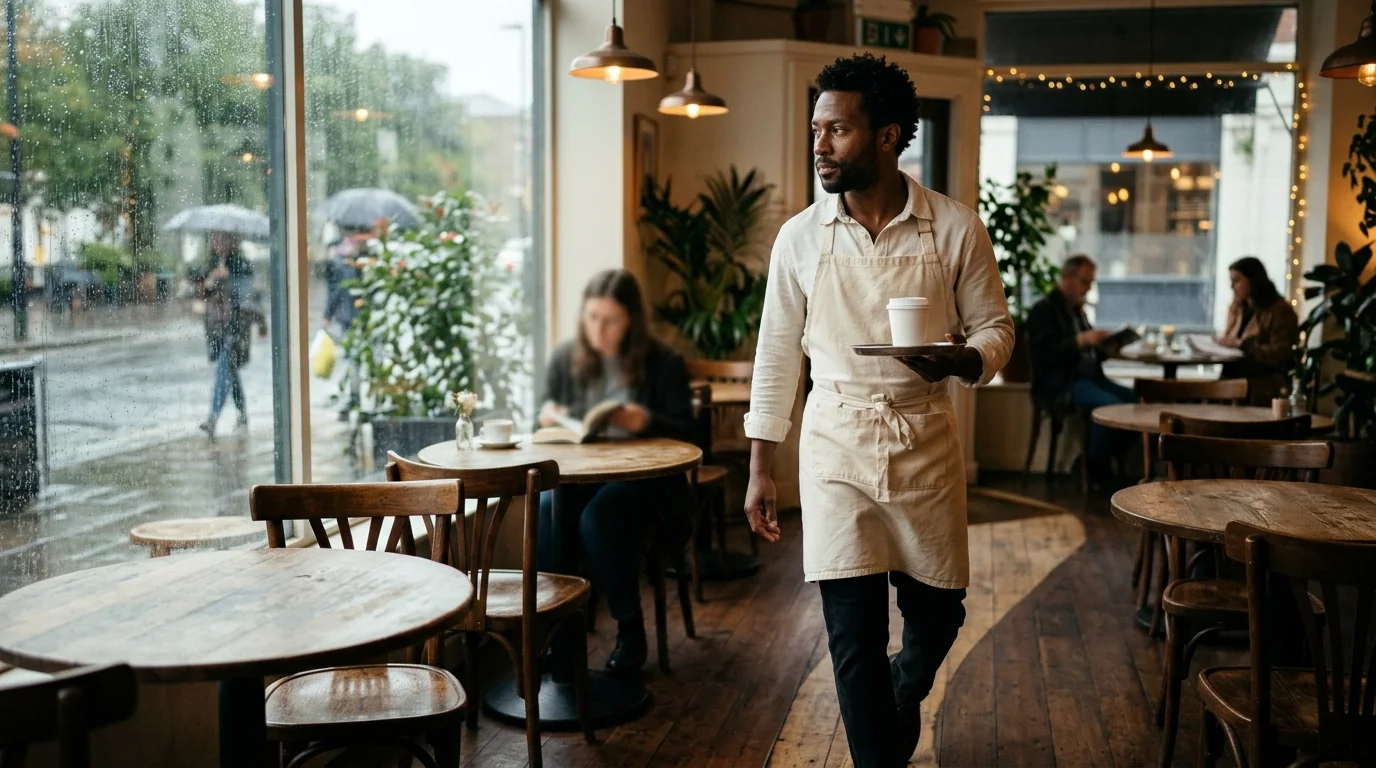
This is the core change in this update. Facing used to hold still and then snap at waypoints; now the per-frame change stays small, so the arc reads as a person naturally walking around a table. The right-angle turn at the window behaves too: the system turns through the shortest angular difference, so no more "should turn 90° right but swings 270° left" glitches.
You can rehearse a single frame on the canvas first. Copy this prompt to generate one mid-walk reference image, confirm the cast, light and composition, then come back to block the full route.
A single cinematic medium shot inside a quiet cafe after rain. A Black male barista in his early 30s with short tightly curled hair, an ivory shirt and a cream apron walks mid-stride between round wooden tables, carrying a small tray with one white paper cup, his body and gaze aligned with his walking direction, leaning slightly into a gentle curve around the tables. Cool rainy window light balanced with warm cafe practicals, natural skin texture and subtle film grain, 16:9 composition, no text or collage.
03 The footsteps take care of themselves
Applying a path also switches the character's motion to walking: arm swing and stride match the direction of travel, and speed follows the pacing of the path. There is nothing to set up for "walking" as such — the old gliding-while-legs-frozen artifact should not appear from this version on.
If the stride doesn't match the energy of the scene (rush hour should feel quicker), adjust the duration of the path rather than the animation: same line, shorter duration, faster steps.
04 At the destination: fine-tune facing on a keyframe
End of the route — the barista stops beside the window seat. The default facing is the tangent of the final segment, but in the last beat of a delivery he should be facing the customer. Select the final keyframe; the panel now correctly echoes position and rotation for that frame. Turn the facing a few degrees toward the customer and give it a short hold.
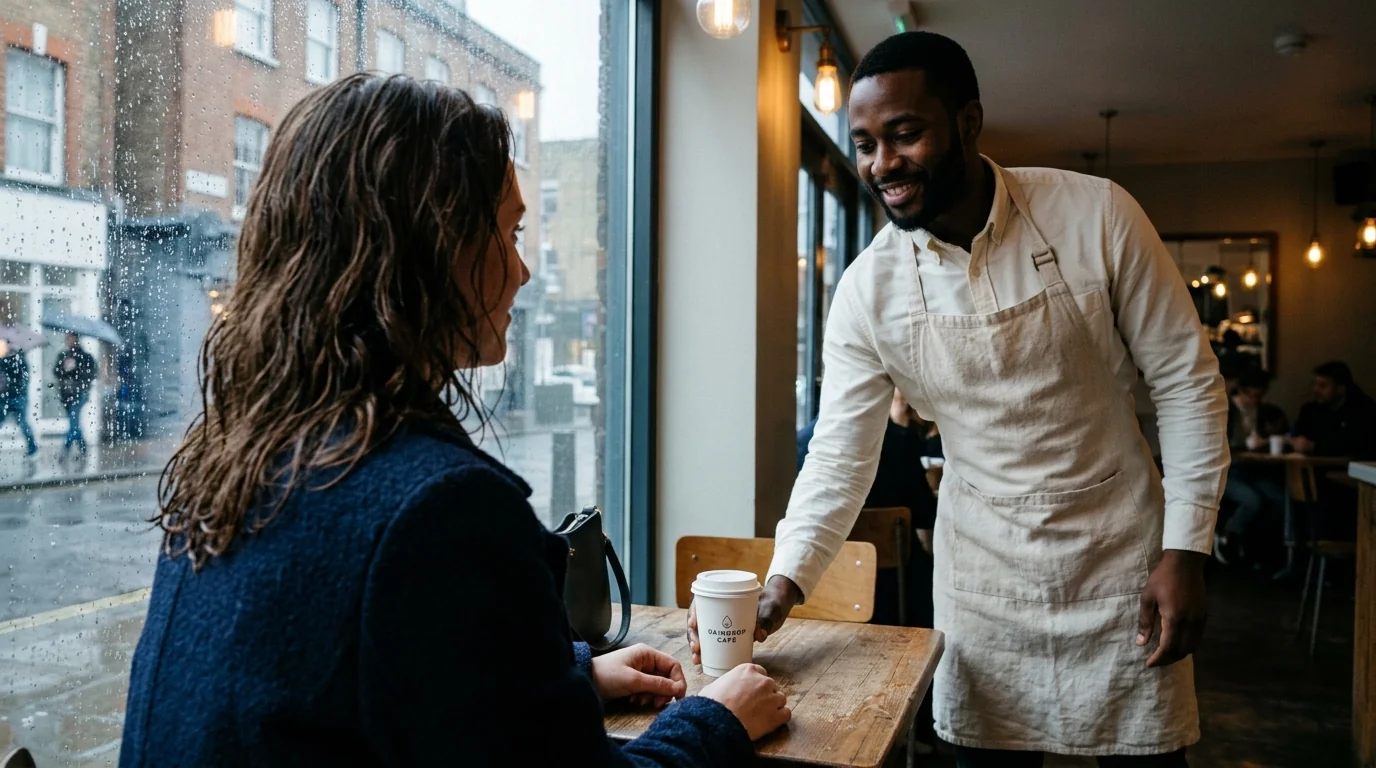
The keyframe panel now reports the true baked values for every frame, so you can verify changes in the viewport immediately. The old rule still applies: change one variable at a time — settle the facing before touching the hold duration.
Put this walk into your own scene. Draw a route in Director Workbench, let the facing follow the path, then check the baked values frame by frame. Open Director Workbench
The handoff composition can also be rehearsed as a single frame:
A single cinematic over-the-shoulder shot inside a quiet cafe after rain, looking past the blurred shoulder and damp wavy chestnut hair of a white woman in her early 30s in a navy wool coat seated by the window, toward a Black male barista in an ivory shirt and cream apron who places a white paper cup on her table, his torso turned slightly toward her at the end of his walk. Cool rainy window light balanced with warm cafe practicals, natural skin texture and subtle film grain, 16:9 composition, no text or collage.
Four checks before anything moves
- Route: run it empty once — no clipping, no table grazing, corners leave a body's width from obstacles.
- Facing: walk the arc segment section by section; facing hugs the direction of travel, and corners turn the short way, not the long way.
- Footsteps: watch the start and the stop — no sliding feet, and the stride matches the tension of the scene.
- Eyeline: at every hold, the character looks at whoever they should — remember to re-aim the final keyframe from "route direction" to "story direction".
These four checks form one system with multi-shot continuity checking: the path governs how a character moves inside one shot; continuity checks govern whether the states connect across shots.
Three common questions
Can a path loop?
Yes. Loop playback joins the end to the start automatically — good for patrols and back-and-forth deliveries. Keep the facing difference between the first and last keyframes small and the seam won't show.
Can a character walk backward on purpose?
Yes — and now it's deliberate rather than a bug: turn off facing-follow and pin the facing on the keyframes, and the character keeps a fixed orientation while moving along the line. That's exactly how you shoot the "backing away while greeting a customer" beat.
Do I still need frame-by-frame tweaks after drawing a path?
Mostly no. The path carries about eighty percent of blocking quality; the remaining twenty percent is keyframe work for storytelling beats — holds, look-backs, turning toward whoever is speaking. If you find yourself fixing facing frame by frame, check whether the route itself is drawn wrong first.
Plug blocking into your workflow
Place your characters and cameras in Director Workbench first, then use paths to set them in motion, and run the continuity checklist across the cut afterwards — and if the scene isn't broken into shots yet, start from the script breakdown walkthrough. Together these cover the whole route from script to usable shots.
Give your character a path to walk
Sign up free and draw the route in your browser — path and facing edits happen on the edit side, and a new account comes with free credits for generation.
Put this into practice
Open your Musein workspace and try the ideas from this article in your own project.